
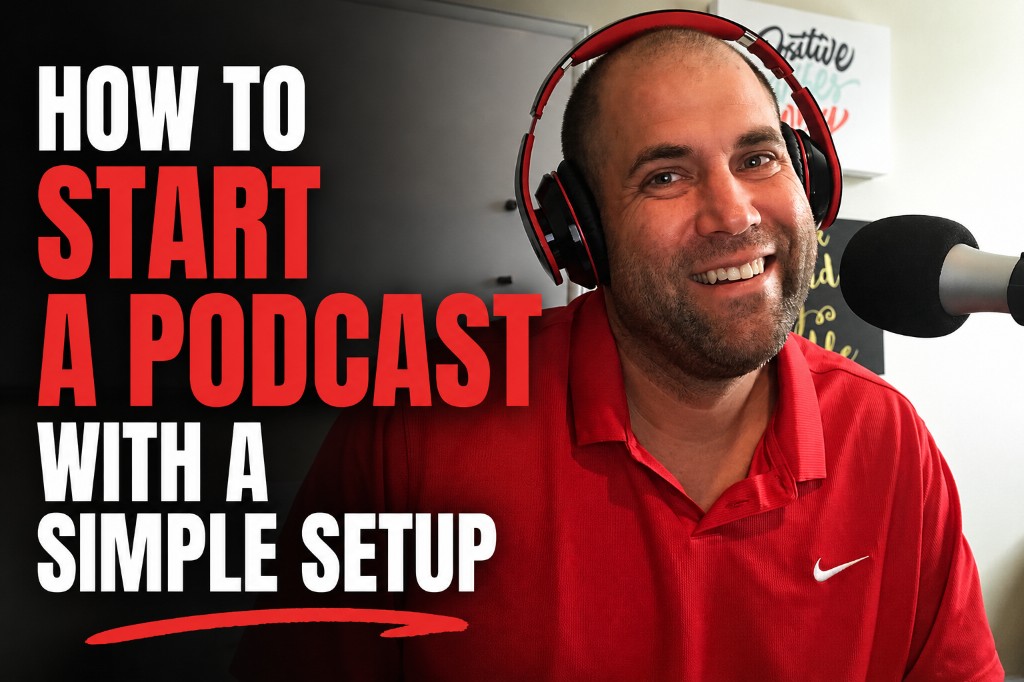
You do not need a fancy studio, a producer, or a pile of expensive gear to start a podcast. You need a clear reason to record, a microphone people can understand, and a simple system you can repeat.
I learned that by recording 245 episodes of the Knup Sports Show from 2020 through 2025. The show gave me a chance to interview CEOs, founders, and leaders across iGaming and sports business. Guests included Adam Wexler, CEO of PrizePicks; Nigel Eccles, founder of FanDuel; Paris Smith, former CEO of Pinnacle; and many more people who helped shape that industry.
That show is now retired, but the lessons are not. I am preparing to launch Rewritten, a conversational show about people intentionally living life differently. It will include interviews along with topical, co-hosted conversations. This time I am bringing the experience from 245 episodes together with better video tools and AI-assisted workflows.
If you are wondering how to start a podcast without turning it into a second full-time job, this is the exact approach I would take now.
Start with the idea, not the equipment
New podcasters often begin by shopping. They compare microphones, cameras, lights, mixers, and software before they can explain what their show is about. Gear feels productive because it is easy to buy. A clear show idea takes more thought.
Before you order anything, answer four questions. Who is the show for? What kinds of conversations will it create? Why are you the right person to host it? What should a listener expect after ten episodes?
The Knup Sports Show worked because the lane was clear. It featured conversations with leaders in sports business and iGaming. I knew who I wanted to interview, and guests understood the value of joining. Rewritten has a different audience and tone, but its purpose is also clear: honest conversations with people building life differently.
Your idea does not need to be clever. It needs to be understandable. A clear promise is easier to explain to guests, easier to promote, and easier for listeners to remember.
The simple podcast setup I recommend
A basic podcast setup needs five things: a microphone, headphones, a computer, recording software, and a quiet room. If you are recording video, add a camera and decent light. Your laptop camera and a window may be enough when you start.
My microphone choice is the Audio-Technica ATR2100x. I have used it myself. It connects by USB, so a beginner can plug it directly into a computer without buying an audio interface. It also offers an XLR connection if you want to upgrade your setup later.
A dynamic microphone like the ATR2100x is also forgiving in a normal office or spare room. It focuses more on your voice and less on every sound bouncing around the room. Speak close to it, keep the input level under control, and you can get clean audio without building a studio.
Use headphones while recording so your guest does not echo through the speakers. They do not need to be expensive. If you already own wired headphones that feel comfortable, start there.
The best podcast setup is the one you can use again next week without rebuilding the room.
Ryan Knuppel
Record video from the beginning
I strongly recommend video. Even if you think of your project as an audio podcast, record the conversation on camera.
Video gives you a full YouTube episode, short clips, social posts, still images, and more trust with the audience. People can see the reaction behind an answer. A strong one-minute clip can introduce your show to someone who would never discover it inside a podcast app.
You do not need a cinema camera. Use the webcam you have, place it near eye level, and face a window or basic light. Clean framing and clear sound matter more than a complicated camera setup.
Think of video as source material. One recorded conversation can become an audio episode, a YouTube video, several short clips, a transcript, a blog post, an email, and a week of social content. I cover that wider idea in my guide to repurposing content for your brand.
Choose simple recording software
For remote interviews, the software needs to make life easy for both you and your guest. A guest should be able to click a link, check the microphone and camera, and join. If they need a technical manual, the setup is already too complicated.
I have used StreamYard for interviews and live video. It is easy to understand, handles guest links well, and makes branded layouts and streaming straightforward.
I am also considering Riverside for Rewritten. I have not used it enough yet to call it my personal winner, but it is a strong option for remote video podcasts. It records each person locally, provides separate audio and video tracks, and includes transcription and AI editing tools. Local recording matters because the final file is less dependent on the quality of a live internet call.
My advice is to test both with a private ten-minute recording. Invite the person who will be your co-host or a patient friend. Download the files, check the sound, and see which workflow feels natural. Do not select software from a feature chart alone.
Keep remote recording easy
StreamYard is a straightforward option I have used. Riverside is worth testing when local tracks and built-in AI editing are important.
Use a real podcast host
Your recording software and podcast host do different jobs. Recording software captures the conversation. A podcast host stores your audio files, creates your RSS feed, and sends the show to podcast apps.
I have used Libsyn in the past and still trust it as a reliable option — use promo code KNUP through my link if you go that route. For Rewritten and Built, I switched to Buzzsprout. It is my current host: simple publishing, stable RSS, and less friction when you are running more than one feed.
The RSS feed is important. You publish the episode once through the host, and the feed updates platforms such as Apple Podcasts and Spotify. You should not manually upload the audio from scratch to every audio directory each week.
Reliability matters more than a giant feature list. Your host should keep the feed stable, make publishing simple, and give you useful download data. That is why Buzzsprout is the main hosting recommendation in this guide, with Libsyn as a solid alternative I have already used.
Build an authority page for every episode
With the Knup Sports Show, I created the authority version of every episode on my own website. I am glad I did.
Each show page could include the YouTube video, Spotify player, written introduction, guest links, key takeaways, and transcript. When I promoted the episode, I could send people to my website instead of giving all the traffic to another platform.
That approach has several benefits. You own the page and URL. Search engines can understand the written content. The guest has one complete link to share. Readers can move from the episode into your services, newsletter, or other content.
A raw transcript alone is not enough. Clean it up. Add headings, a real introduction, useful takeaways, links to related pages, and a clear next step. The goal is not to hide a video inside a blog post. The goal is to create the best home for the conversation.
I plan to use this owned-page model again for Rewritten. The difference is that tools like Cursor and AI agents can now help build the page, organize the transcript, prepare embeds, suggest internal links, and handle repetitive publishing tasks.
Use AI to remove the repetitive work
Podcasting has always created a lot of small jobs. Download files. Clean the transcript. Write the title. Create show notes. Pull quotes. Find clips. Write captions. Upload everything. Schedule promotion.
I did that work myself for the Knup Sports Show. The show may have cost close to zero dollars to start beyond my time and hosting, but the time cost was real.
Today I would build AI agents around that workflow. After an episode is recorded, the system can prepare a transcript, draft show notes, identify clip moments, suggest titles, create descriptions, build social drafts, and prepare the authority page. A human still reviews the work before it publishes.
AI should remove repetitive labor, not remove your judgment. It does not know which guest moment matters most to your audience. It can miss a name, flatten your voice, or write a boring title. Use it for the first pass and organization. You make the final call.
For more on keeping AI content human, read my guide to using AI to create content.
Edit less than you think
New podcasters often assume every pause, repeated word, and imperfect sentence needs to disappear. That creates hours of editing and can make a real conversation sound unnatural.
I would edit less. Remove major mistakes, dead space, technical problems, and anything the guest asks you to cut. Clean the opening and ending. Improve sound when needed. Then publish the conversation.
Your audience is not expecting a movie. They want a useful or interesting discussion. A natural conversation with good sound beats a heavily edited episode that arrives three weeks late.
Tools such as Riverside can edit from a transcript and create short clips. FlexClip is another option for making promotional video assets. Use these tools to save time, not to create more work for yourself.
Create a repeatable episode format
A simple format lowers the mental load for every recording. For an interview show, mine would look like this: short welcome, guest introduction, three main topic areas, a few personal questions, one closing lesson, and a direct next step for listeners.
Do research, but do not script every word. Prepare enough to ask informed questions and follow the conversation when it gets interesting. Some of my best interviews came from leaving the planned list because a guest said something worth exploring.
For co-hosted episodes, decide the topic and three points before recording. You do not need a full script. You need enough structure to avoid circling the same idea for an hour.
Keep possible stories and questions in one place. A story library can give you personal examples when a conversation needs them.
Launch with a small batch
Do not announce a weekly podcast when you have recorded one episode and have no plan for the second. Record a small batch first.
I would prepare a trailer and at least three complete episodes before the public launch. Publish the trailer first. Release two or three episodes when the show opens so a new listener has more than one conversation to try. Keep another episode ready while you record the next batch.
Pick a schedule you can keep. Weekly is useful, but every other week is better than publishing three episodes in one month and disappearing for six.
Promote every episode more than once
Publishing is not promotion. Most people will not see the first post about an episode.
Share the authority page on launch day. Post a short clip later in the week. Pull a quote for LinkedIn. Send the episode to your email list. Tag the guest with prepared images and links they can easily share. Bring an older episode back when its topic becomes timely again.
You can schedule those posts through Metricool. My guide to scheduling social posts across multiple brands explains the broader process.
What does it cost to start a podcast?
My original answer is close to zero dollars beyond time and hosting because I did the work myself and already had the basic equipment. Your true starting cost depends on what you own.
A practical beginner budget can stay small. Buy one dependable USB microphone if you need it. Use existing headphones, computer, webcam, and room. Choose one recording platform and one podcast host. Do not buy a mixer, multiple cameras, expensive lights, or a studio desk before you know you enjoy recording.
Spend money when a real limit appears. If your room sounds bad, improve the room. If the camera looks dark, add a light. If editing consumes the week, add an AI tool or hire help. Let the show prove what it needs.
Common podcast mistakes to avoid
Waiting for perfect gear. The equipment will never feel finished. Record a pilot now.
Making the topic too broad. A show for everyone gives nobody a clear reason to listen.
Skipping video. You lose the best raw material for discovery and social promotion.
Over-editing. If every episode takes ten hours to finish, your system will break.
Sending all traffic away. Podcast apps and YouTube matter, but an episode page on your website builds an asset you control.
Having no next step. Ask listeners to join a list, visit a page, follow the show, or contact you. Give the attention somewhere useful to go.
My simple podcast launch checklist
Define the audience and promise. Choose the name and basic artwork. Plug in an ATR2100x or another dependable USB microphone. Decide between StreamYard, Riverside, or another video recording tool. Create a Buzzsprout hosting account and RSS feed. Record a private test. Prepare a trailer and three episodes. Build a page on your website for each episode. Create a basic AI-assisted show notes and clip workflow. Submit the feed to the main podcast directories. Schedule several promotional posts. Then launch.
That is enough. You can improve the intro music, lighting, artwork, and automation later. The first goal is to build a system that gets real conversations published.
Final thoughts from 245 episodes
Podcasting gave me access to leaders I wanted to learn from and relationships that reached far beyond a download count. Sitting across from people like Adam Wexler, Nigel Eccles, Paris Smith, and many other executives was valuable because the conversations were real and the show gave us a reason to have them.
The Knup Sports Show ran its course and retired after 245 episodes. Rewritten is the next chapter — conversations about people intentionally living life differently. The premise in list form is in 7 Decisions That Made Our Life Feel Intentional. I am not rebuilding a giant studio for it. I am building a cleaner system: simple gear, video from day one, useful conversations, owned episode pages, lighter editing, and AI agents handling more of the repetitive work.
That is the setup I recommend to you too. Start simple. Record something worth hearing. Own the home for every episode. Keep publishing long enough to become good.
Creator gear on Amazon
The mic I use plus a general Amazon hop when you need headphones, cables, lights, or other basics.
- Audio-Technica ATR2100x — The USB/XLR mic Ryan uses for podcasts, interviews, and simple creator setups.
- Amazon — Start Amazon shopping through Knup’s Associates link to support the ecosystem at no extra cost.
As an Amazon Associate, Knup earns from qualifying purchases.
Start with reliable hosting or build the full system
Buzzsprout is what I am using for Rewritten and Built. If you want help connecting your show, website, content, and automation into one publishing workflow, talk with Built by Knup.